How to Integrate OpenAI’s GPT-4 into Your Web or Mobile App
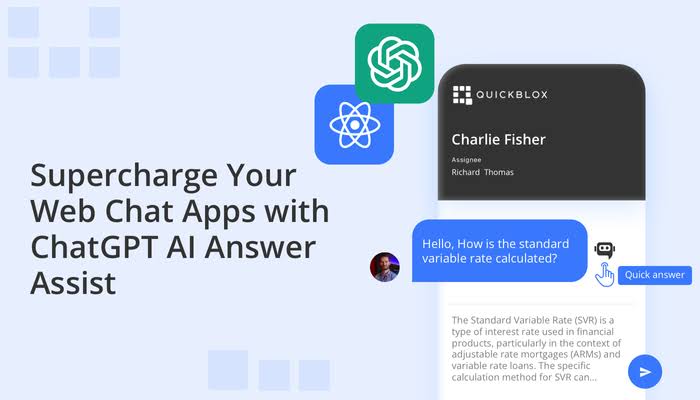
Integrating GPT-4 into your web or mobile app can unlock powerful AI-driven features, such as chatbots, content generation, code assistance, and automation. This guide will walk you through the process step by step, from setting up OpenAI’s API to implementing it in your project.
Step 1: Get OpenAI API Access
- Sign Up for OpenAI
- Visit OpenAI’s website and create an account.
- Generate an API Key
- Go to the OpenAI dashboard, navigate to the API section, and create an API key.
- Keep the key secure, as it will be needed to authenticate API requests.
Step 2: Set Up Your Development Environment
Ensure you have Node.js (for web apps) or React Native/Flutter (for mobile apps) installed.
For Web Apps (Next.js / React / Node.js)
Install the OpenAI SDK:
npm install openai axios
For Mobile Apps (React Native / Flutter)
- React Native: Use axios or fetch for API calls.
- Flutter: Use http package (
flutter pub add http).
Step 3: Make API Calls to GPT-4
Basic Example in Node.js / React
import { Configuration, OpenAIApi } from "openai";

const config = new Configuration({
  apiKey: process.env.OPENAI_API_KEY, // Use environment variables for security
});

const openai = new OpenAIApi(config);

async function getAIResponse(userInput) {
  const response = await openai.createChatCompletion({
    model: "gpt-4",
    messages: [{ role: "user", content: userInput }],
    temperature: 0.7, // Adjust creativity level
  });

  return response.data.choices[0].message.content;
}

getAIResponse("What is AI?").then(console.log);
Basic Example in React Native
const fetchAIResponse = async (userInput) => {
  const response = await fetch("https://api.openai.com/v1/chat/completions", {
    method: "POST",
    headers: {
      "Content-Type": "application/json",
      Authorization: `Bearer ${process.env.OPENAI_API_KEY}`,
    },
    body: JSON.stringify({
      model: "gpt-4",
      messages: [{ role: "user", content: userInput }],
    }),
  });

  const data = await response.json();
  return data.choices[0].message.content;
};
Step 4: Implement AI Features
Here are some AI-powered features you can build using GPT-4:
- Chatbots – Implement conversational AI for customer support.
- Content Generation – Automate blog writing, email drafting, or product descriptions.
- AI-Powered Search – Improve search accuracy with natural language processing (NLP).
- Code Assistance – Build an AI-powered coding assistant.
Step 5: Optimize for Performance & Cost
- Reduce API Calls: Cache responses to limit unnecessary requests.
- Use Streaming: For faster responses, implement OpenAI’s streaming API.
- Set a Budget: OpenAI charges per token, so monitor usage with rate limits.
Step 6: Deploy Your AI-Powered App
- Web Apps → Deploy using Vercel, Netlify, or AWS.
- Mobile Apps → Publish via Google Play Store or Apple App Store.
Final Thoughts
GPT-4 can supercharge your web or mobile app with intelligent, AI-driven features. By following this guide, you can easily integrate OpenAI’s API and start building smarter applications.
🚀 If you’re working on an AI-powered project, I’m open to collaboration! Let’s build something amazing.
#AI #GPT4 #WebDevelopment #React #Nextjs #MobileApps